School lunch orders, without the paper forms and cash envelopes.
Families order and pay ahead for each of their kids, from their phone. By the order deadline, whoever runs lunch has the counts and a list for every classroom.
Used by 1 school.
“…making all of our lives so much easier!”
If you run lunch
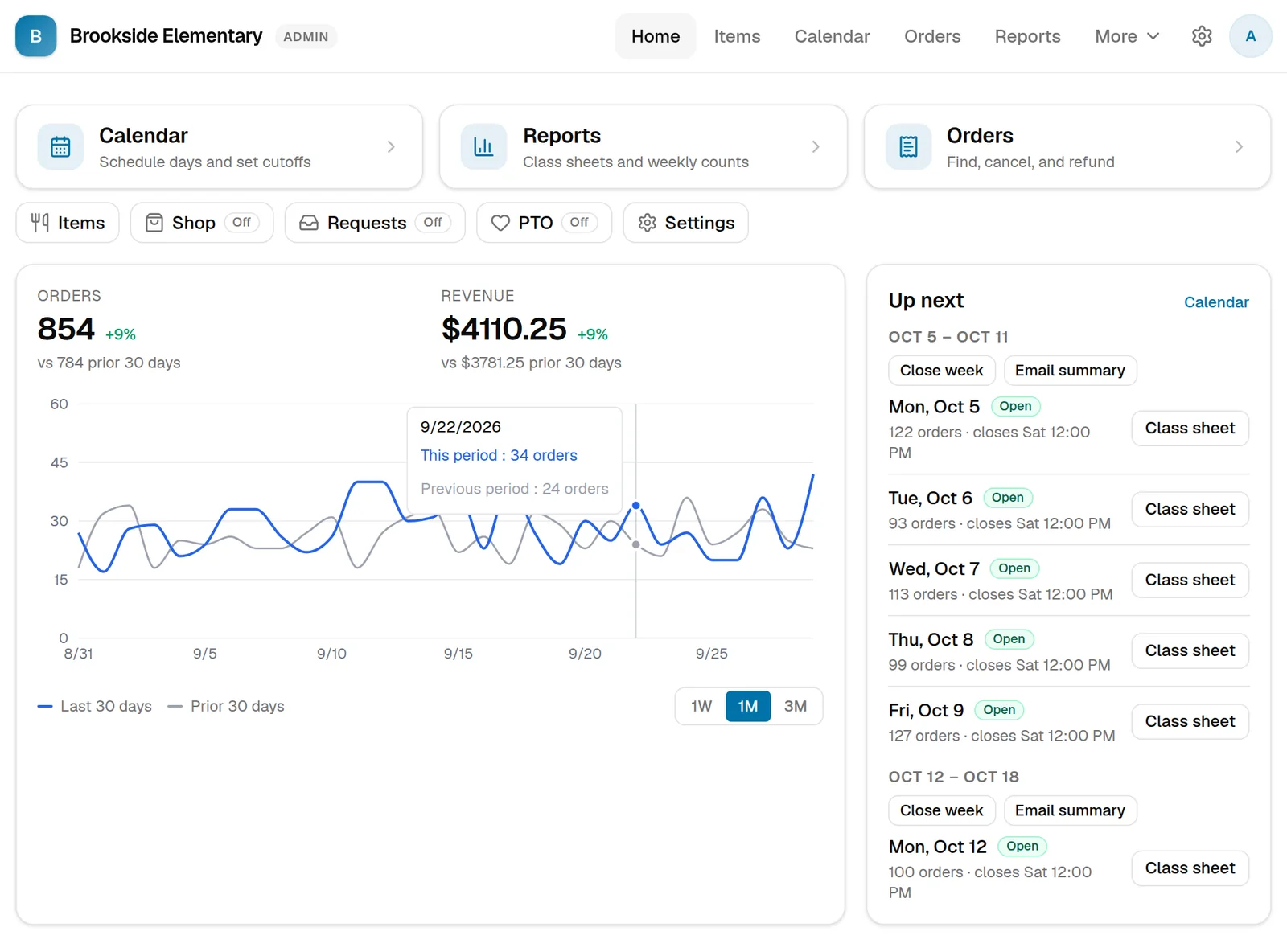
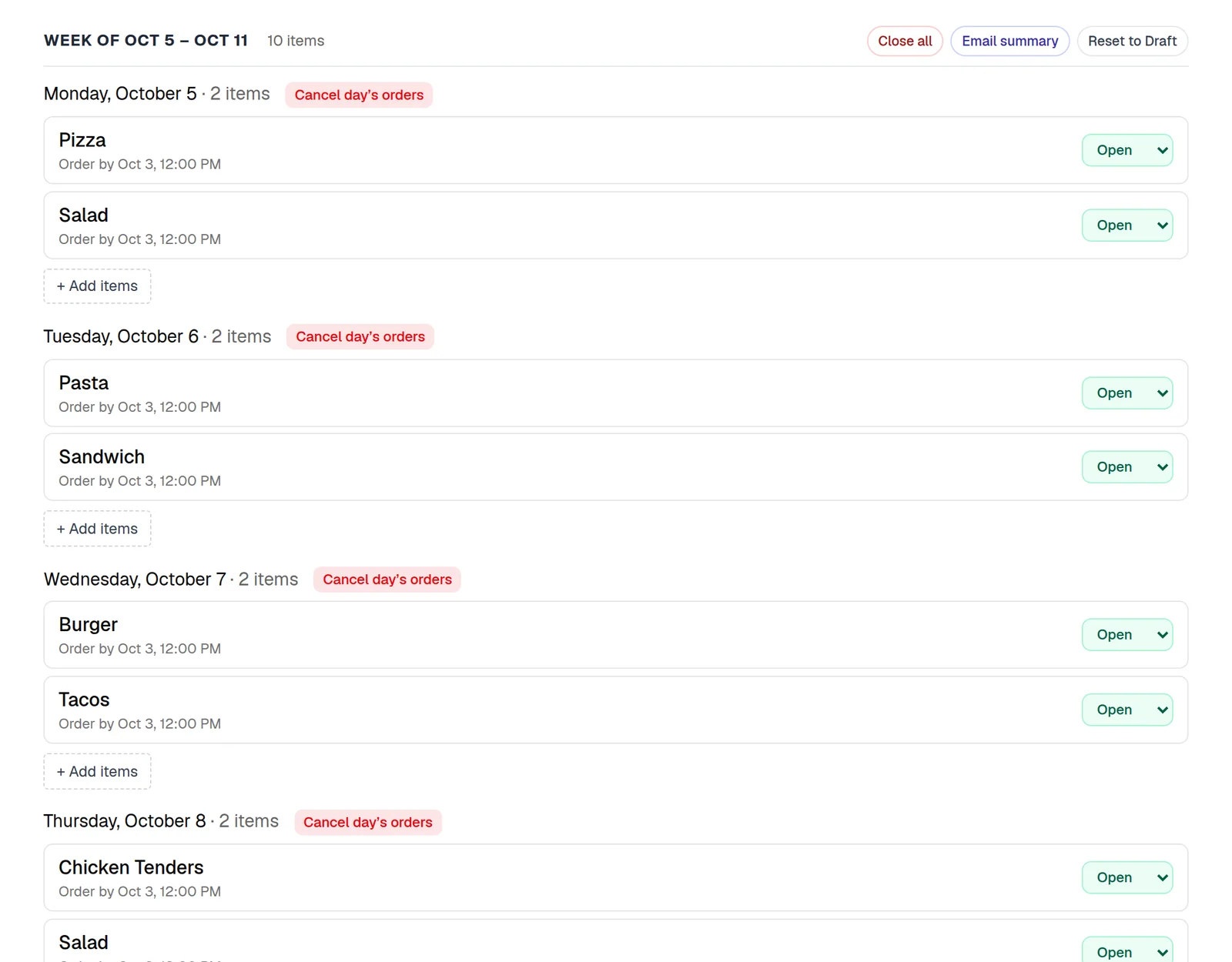
- Enter your menu once. Then schedule lunch days for a week, a month or the rest of the year.
- Every lunch day has an order deadline families can see. Close ordering yourself in one click, or have it close on its own at the deadline. No late forms, and nobody to chase for money.
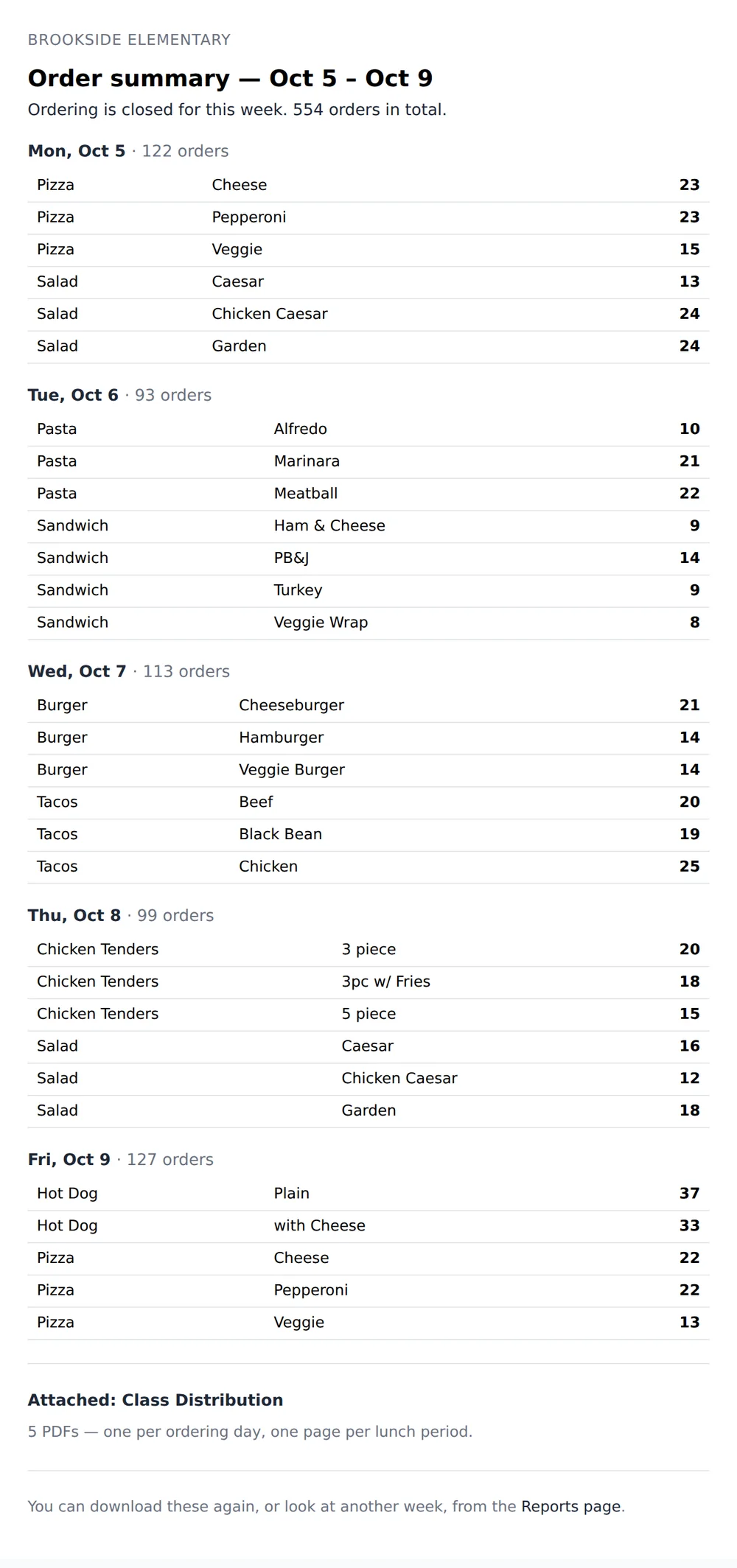
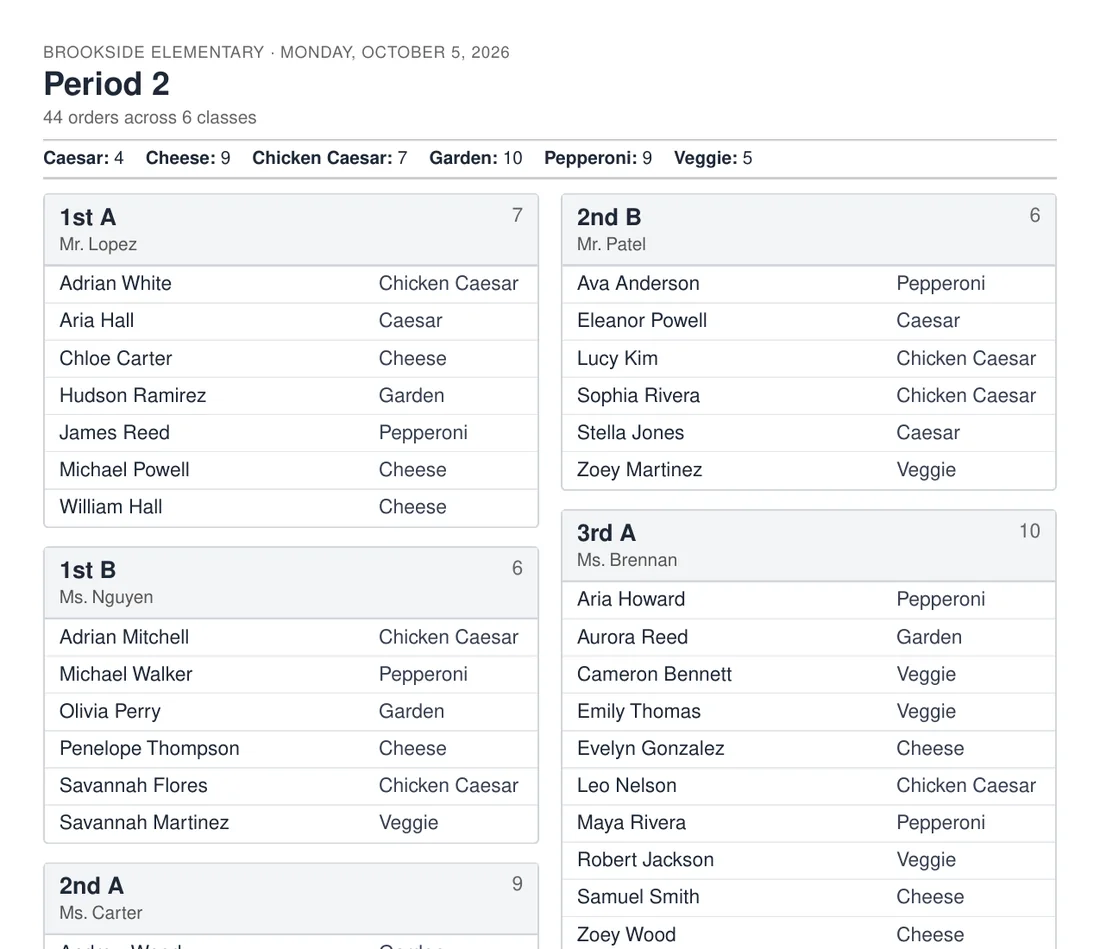
- When the week closes, get one email with the counts for each day and a class sheet for every lunch period attached. Send it with a click, or have it sent automatically. Print the sheets, or forward the email to whoever makes the food.
- Payments go straight to your school's or PTO's bank account.
- Snow day? Cancel the whole day at once. Every family gets their money back, and you can send them a note.
If you're a parent
- Order for all your kids at once, for every lunch day on the calendar.
- Pay with a card, Apple Pay or Google Pay. No cash in backpacks.
- Add your orders to your phone's calendar and they stay up to date, so you always know who's having what.
- Plans change? Cancel before ordering closes and the money comes back to your card.
- Your kids and their classes are saved, so ordering next time takes a minute.
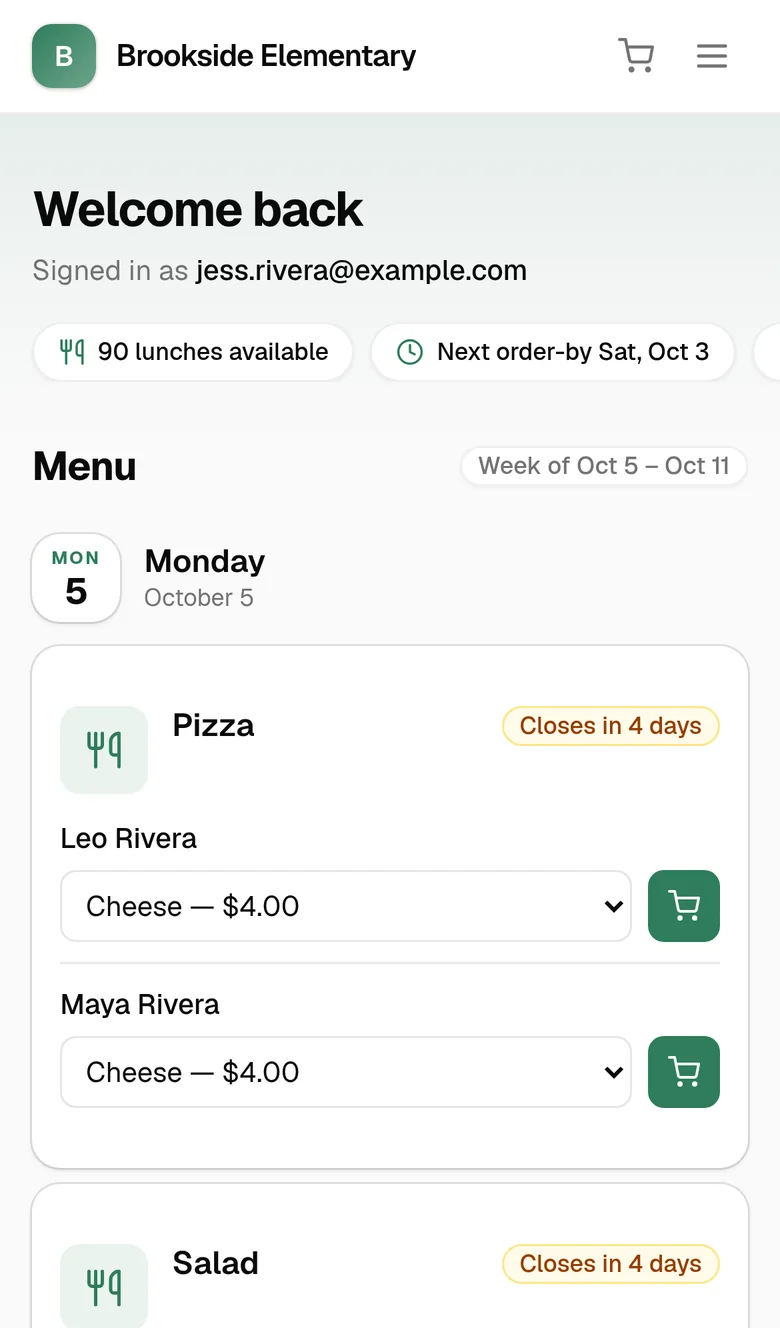
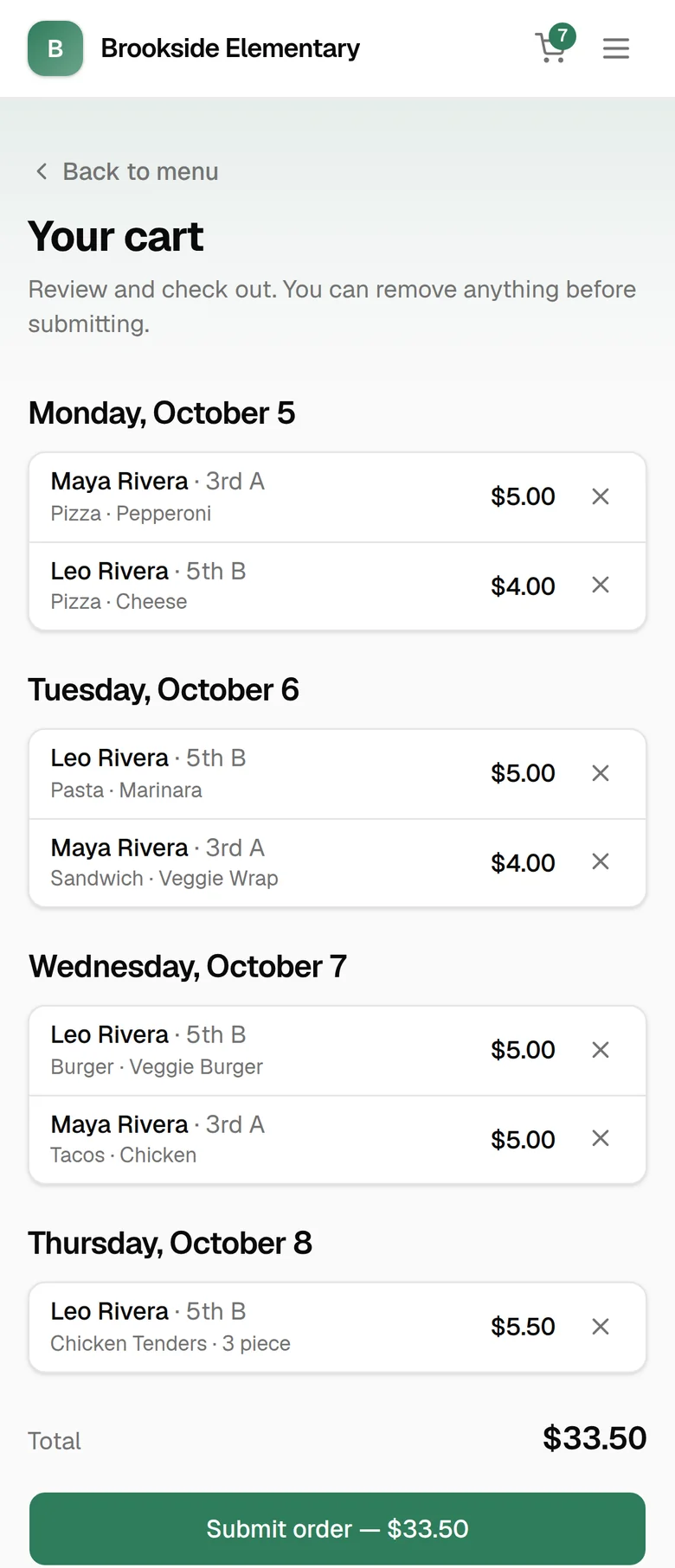
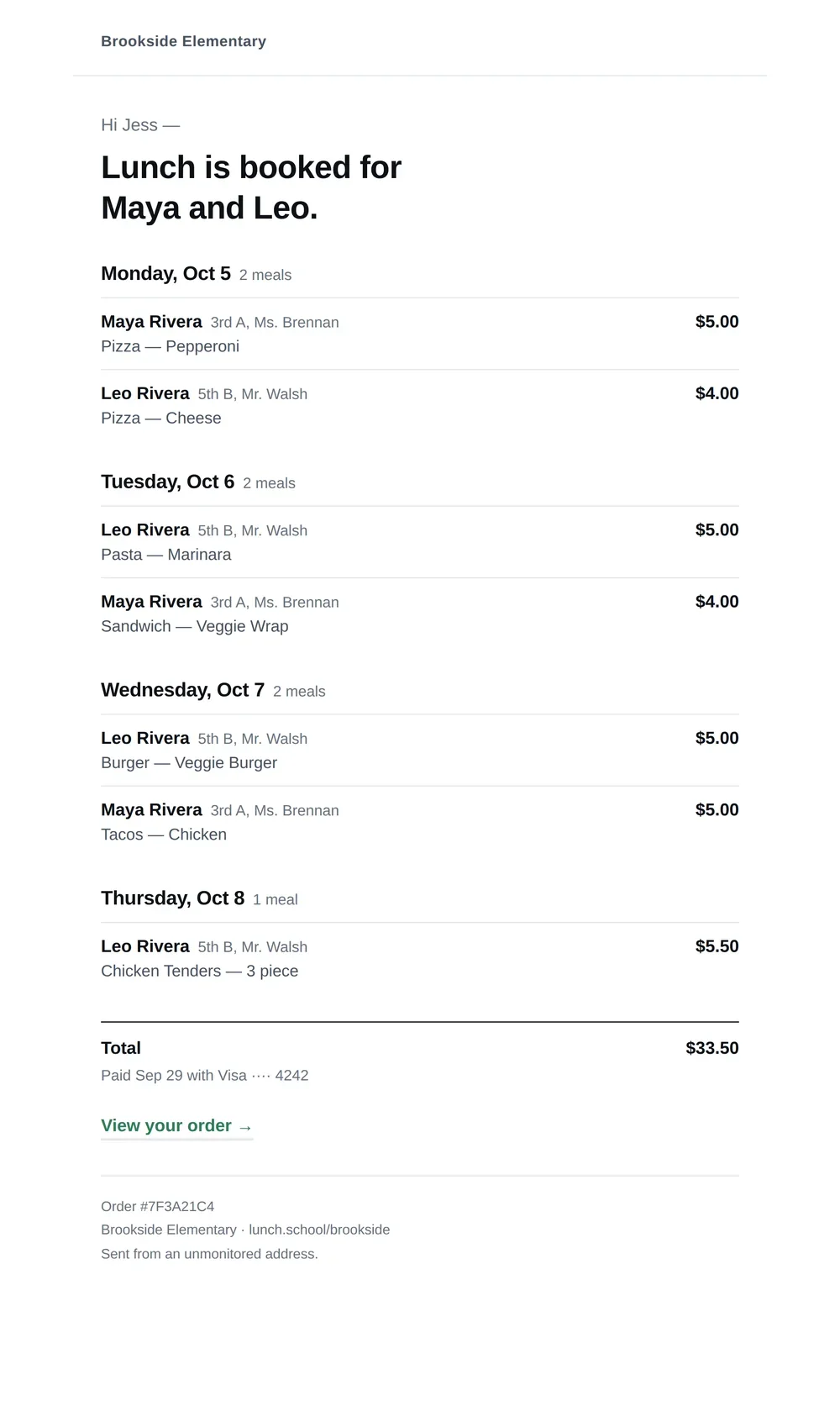
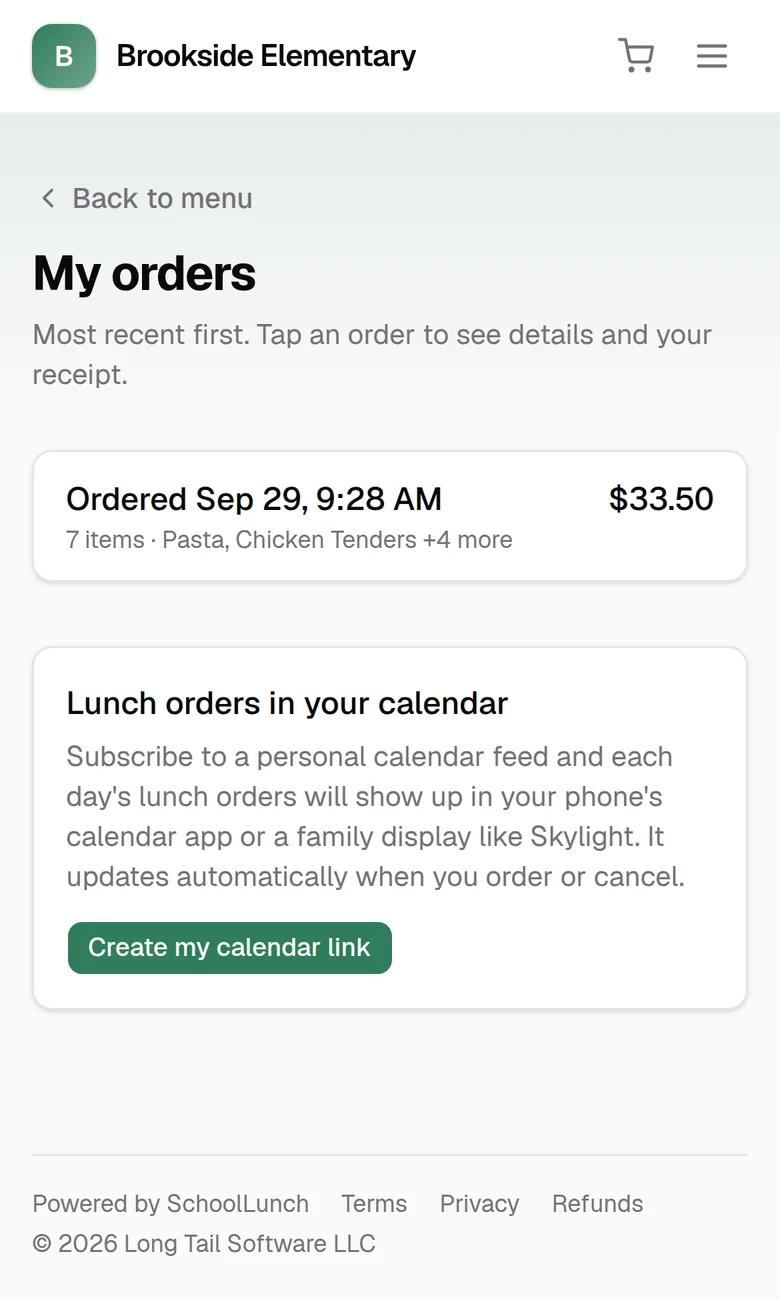
Click around a demo school.
A made-up school with a full menu, orders and reports. See what parents see, or what the person running lunch sees. Nothing you do there is saved.
It works however your school does lunch.
Pizza on Fridays from the place down the road, a caterer every day, or meals from your own kitchen. If families order ahead, SchoolLunch can take the orders. You set the menu, the prices and the deadlines.
The PTO can use it for more than lunch.
Turn these on if you want them. Families use the same account they order lunch with.
School store
Spirit wear, yearbooks and anything else you sell, with sizes and stock counts.
PTO dues and donations
Families and staff join or give online, and you keep a member list you can download.
Teacher supply requests
Teachers ask for what their classroom needs through a private link, and the PTO keeps track in one list.
What it costs
No setup fee and no monthly bill. We keep a small percentage of each sale, and there’s card processing, as there would be anywhere else. You choose who covers it: the school, so parents pay just the menu price, or families, through a small service fee they see before they pay.
Questions people ask
Our lunch comes from a caterer, local restaurants or our own kitchen. Will it work for us?
Yes. SchoolLunch doesn't need to know where the food comes from. You set the menu, the prices and the order deadlines, and the orders come to you.
Do parents need to download an app?
No. It's a website that works on any phone or computer. Parents make an account the first time they order, and their kids are saved for next time.
How do the numbers get to whoever makes the food?
When the week closes, you get a summary email: how many of each choice for every day, with a class sheet for each lunch period attached as a PDF. It goes out when you click send, or automatically if you'd rather. Forward it to your caterer or kitchen, or print the sheets for the volunteers handing out lunch.
Where does the money go?
Straight into your school's or PTO's bank account, through Stripe, the payment company. We never hold your money, and we never see card numbers.
Can families cover the card fees?
Yes, if you'd like. Turn on the service fee and checkout adds a small fee that covers card processing and our cut, so you keep the full menu price. Parents see it in the cart before they pay, and if they cancel, that part of the fee goes back to them too.
What if a parent needs to cancel?
Until ordering closes for that day, parents can cancel on their own and the money goes back to their card. Once it closes, orders are locked so your counts don't change.
What if school is closed on a lunch day?
Cancel the whole day in one step. Every order is refunded, and you can email families a note about it.
How do we get started?
Send us a note. We'll show you around and help you get your menu and first lunch days set up.
Want to see how it would work at your school?
Tell us a little about your lunch program and we'll be in touch.
Find your school
Pick yours to sign in and order.